

Creating videos used to be a matter of scripts, cameras, and post-production suites. Now, it can begin with something as simple as a single still image. If you’ve ever imagined your static artwork moving, breathing, or turning into cinematic scenes, tools like Sora 2 Image to Video are changing the rules entirely.
Why Image-to-Video Matters Now More Than Ever
We live in a world where content consumption is fast, visual, and emotionally driven. Yet producing videos remains time-consuming and skill-dependent. This is where AI-driven image-to-video solutions become a lifeline — not just for creators but for educators, marketers, designers, and everyday storytellers.
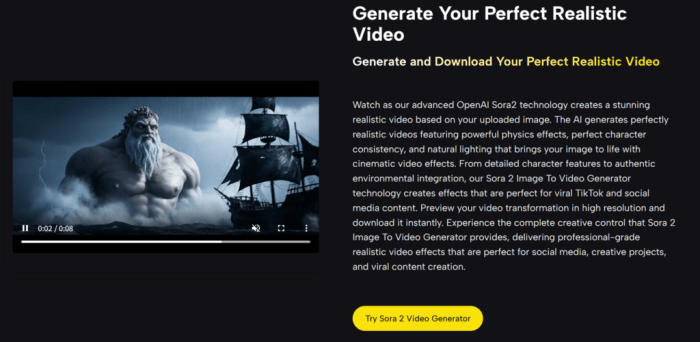
I recently explored the capabilities of Sora 2’s image-to-video generation. At first glance, the promise seemed bold: upload an image, describe a motion or ambiance, and let the system simulate realistic camera movements, environment physics, and temporal consistency. But does it live up to this promise?
In my experience, it surprisingly did — within reasonable expectations. Subtle camera pans, gentle wind effects, and lighting transitions were generated convincingly from a single uploaded frame. The results were not flawless, but they were often striking.
How It Works (Simplified Flow)
- Upload an Image – Any format is accepted.
- Enter a Prompt (Optional) – Describe the desired movement or mood.
- Select Parameters – Choose video length, aspect ratio, and quality.
- Generate and Download – In under a minute, preview and download your result.
This workflow is optimized for both ease of use and creative control. In cases where I left the prompt blank, the system made reasonable default choices, though the results improved significantly when I provided a focused, cinematic description.
Comparing Sora 2 with Other Image-to-Video Platforms
To evaluate Sora 2’s position in the 2026 AI video landscape, I compared it with two other prominent tools currently available. Here’s how they stack up:
| Feature | Sora 2 Image to Video | Genmo AI | Runway ML Gen-3 Alpha |
| Starting Input | Image | Image or text | Image + prompt |
| Motion Realism | High (with subtle prompts) | Moderate | High but unstable across frames |
| Prompt Sensitivity | Responsive to cinematic cues | More literal | Sometimes overly stylized |
| Custom Duration | 10s or 15s | Up to 8s | 4s-10s (variable) |
| Aspect Ratio Options | Portrait / Landscape | Fixed | Portrait / Landscape / Square |
| Style Preservation | Strong (esp. facial consistency) | Weak | Moderate (sometimes loses detail) |
| Requires Credits to Use | Yes (10 per generation) | Limited free quota | Waitlist or paid access |
| Best Use Cases | Cinematic character motion | Short animations / transitions | Experimental video art |
Where Sora 2 Excels
1. Character Consistency
In my tests with illustrated avatars and realistic portraits, Sora 2 preserved key visual details — especially facial structures — with more stability across frames than some peers.
2. Subtlety and Physics
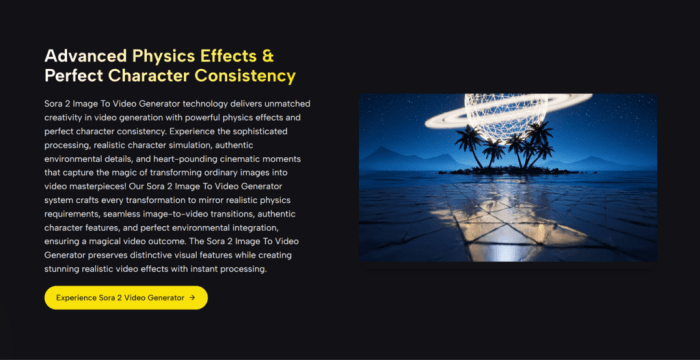
Its physics engine isn’t magic, but it nails soft wind effects, hair motion, and camera depth simulation convincingly. Movements look almost filmed — not over-stylized or jarring.
3. Intuitive Workflow
For non-technical users, the interface is a relief. No cluttered settings. Each step feels purposeful and quick.
Where It Still Needs Work
- Limited Video Lengths: You’re currently capped at either 10 or 15 seconds. This may limit storytelling flexibility unless you’re stitching multiple generations together.
- Inconsistent Output Quality: Occasionally, results can feel too subtle — almost static — especially if the prompt lacks motion cues. A few tries might be needed to get it right.
- No Batch Generation: You can’t generate multiple variations in one go, which may slow down iteration.
Real-World Applications
Whether you’re crafting a teaser video for a game character, animating concept art, or just bringing old memories to life, this tool invites experimentation. For educators, imagine turning textbook illustrations into immersive motion clips. For marketers, a single product image can now become a moving ad — all without video teams.
And since Sora 2 Image to Video offers a low-barrier “free to start” entry, testing the platform is relatively risk-free. This accessibility nudges even hesitant creators to explore what’s possible.
Final Thought: From Stillness to Story
This isn’t just a tool — it’s an invitation to rethink how images can tell stories. The technology isn’t perfect. You’ll encounter artifacts, you’ll wish for longer durations, and sometimes it’ll take a few retries to get the tone right.
But in many ways, that’s the point. Like photography in its early days, part of the magic is in the unpredictability. Sora 2 doesn’t just animate your images — it asks you to imagine what your visuals could become.
And for creators willing to experiment, that’s more than enough.