

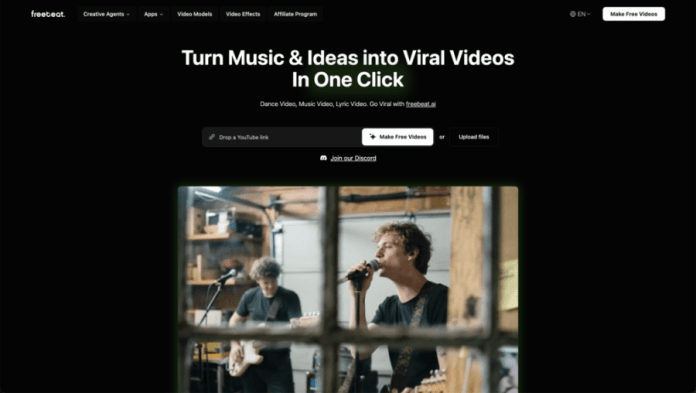
Have you ever listened to a K-pop track and pictured the perfect music video in your mind? A sweeping cinematic scene during the bridge, a vibrant dance sequence that hits every beat, or a lyrical story that unfolds with each verse. For most fans, that vision stays locked inside—because professional video editing is complex, expensive, and time-consuming.
What if you could bring that vision to life in seconds, with no editing skills required?
Welcome to freebeat.ai, the platform designed to turn any audio—especially your favorite K-pop songs—into professional, beat-synced music videos with just one click. No software to learn, no timelines to edit. Just your song, your idea, and instant visual results.
How It Works: Your Music Video in Three Steps
1. Feed the AI Your Audio
Start by giving the Music Video Generator your source material. Simply paste a link from Spotify, YouTube, SoundCloud, or Suno, or upload an audio file directly. Whether it’s a global hit or an unreleased demo, the Music Video Generator accepts it instantly.
Behind the Scenes: The moment you drop your track, the core AI of the Music Video Generator gets to work. It performs a deep analysis, detecting everything from the tempo and beat structure to the emotional mood and dynamic energy shifts—creating a unique visual blueprint tailored to your song’s DNA.
2. Direct with Words, Not Buttons
Here’s where you take the creative lead. In plain English, type the visual world you envision. The Music Video Generator uses your prompt as its creative brief. For example:
- “Futuristic Seoul skyline at night”
- “Dreamy fantasy forest with floating lanterns”
- “Retro vinyl-record aesthetic with glitch effects”
Your words directly guide the AI. The Music Video Generator adapts the entire video’s theme, color story, transitions, and pacing to match your description and the song’s inherent feeling.
3. Render, Review, Refine
Hit ‘Create.’ Within seconds, your first draft from the Music Video Generator is ready.
Want to fine-tune it? Use the intuitive panel to maintain creative control while the AI handles execution:
- Regenerate specific scenes with a new text prompt.
- Adjust timing to emphasize a chorus, drop, or vocal line.
- Swap backgrounds or refine motions on the fly.
Your Music Video Generator-powered creation is ready to share in minutes, not days.
Designed for K-pop Fans: Your Creative Playground
freebeat AI isn’t just a generic tool. It’s built with music lovers in mind, especially those immersed in the visually rich world of K-pop. Here’s what you can create:
- Concept Music Videos for Unreleased Tracks or B-Sides
Always felt a certain song deserved an MV? Now you can direct it. - Dynamic Lyric Videos
Perfect for sharing your favorite lines or translations on TikTok, Reels, or YouTube Shorts—with text that syncs seamlessly to the vocals. - Dance-Focused Visuals
Create videos where every cut, transition, and effect hits the beat, ideal for dance covers or choreography highlights. - Seamless Mashups & Medleys
Combine your favorite moments from multiple songs into one fluid visual story, with transitions that feel natural and engaging.
Why freebeat.ai Feels Different
This isn’t about slapping a filter over a static image. It’s about understanding music visually.
While other platforms force you into templates, freebeat AI listens to your track—matching visuals to rhythms, building scenes around mood changes, and ensuring every moment feels intentional. You guide the creative direction with words and choices; our AI handles the complex rendering, synchronization, and styling.
It’s more than a tool. It’s a creative partner that empowers you to participate in K-pop culture not just as a fan, but as a visual storyteller.
Your Vision, One Click Away
That K-pop song you love—the one that feels like it deserves a bigger, bolder, or more personal visual—can now have one. And you can be the one to make it.
Ready to try?
Think of a track. Go to freebeat.ai, paste your link, describe your vibe, and click Create. Your video will be ready before the first chorus hits.
Turn your playlist into a visual album. Transform your fandom into art. The next great K-pop music video might not come from a major label studio—it could come from you.
Create your first video now!
FAQs
1. I have zero video editing skills. Can I really make a pro-looking music video?
Absolutely. That’s exactly why freebeat AI exists. You don’t need to know anything about editing software. Just paste your song link, type a visual idea (like “neon Seoul dance party”), and click Create. The AI handles the beat-matching, scene generation, and seamless editing for you.
2. Will the video actually sync with the beats of my K-pop song?
Yes—perfectly. Our core technology is built to analyze the BPM, rhythm patterns, and energy shifts in your audio. The generated visuals (cuts, transitions, effects) are timed frame-by-frame to hit the beats, drops, and highlights of your track.
3. Is this legal? Can I use copyrighted K-pop songs?
freebeat AI is a creation tool. You retain the rights to the videos you generate. For copyrighted music:
- It’s perfect for personal projects, fan edits, and non-commercial sharing on social media (with credit to the artists).
- It’s not for reselling videos or commercial use without proper licensing.
- We recommend checking platform-specific rules (like YouTube’s Content ID) as your video may be claimed by the rights holder—this is normal and usually just means ads may run on your video, not that it will be taken down.
4. How long does it take to make a video?
From pasting the link to having a finished video: under 30 seconds for most tracks. You can then spend a few more minutes tweaking if you want. It’s faster than loading a professional editing software.
5. Can I make videos for Instagram Reels or TikTok?
Yes. Before generating, you can select the 9:16 vertical format preset. The AI will optimize all scenes and text for mobile screens. Export and share directly—it’s built for virality.
6. What if I don’t like the style it generates?
You’re in control. If the first result isn’t your vibe, you can:
- Change your text prompt (e.g., from “dreamy” to “cyberpunk”).
- Use the “Refresh Scene” tool to re-generate only specific parts.
- Adjust the “mood” slider toward more energetic or calm visuals.
- Generate multiple versions until it matches your vision.
7. What’s the cost? Is there a free trial?
Yes, you can create your first video for free (no credit card needed). If you love it, affordable plans unlock unlimited videos, longer lengths, and premium styles. We’re built to be accessible to fans and indie creators.
8. I’m a content creator. Can I use these videos on my monetized YouTube channel?
You own the videos you create. However, if your video contains copyrighted music, revenue may be claimed by the music rights holder via YouTube’s system—this is a standard result of using published music, not a limitation of our tool. For fully monetizable content, we recommend using royalty-free or original music.