

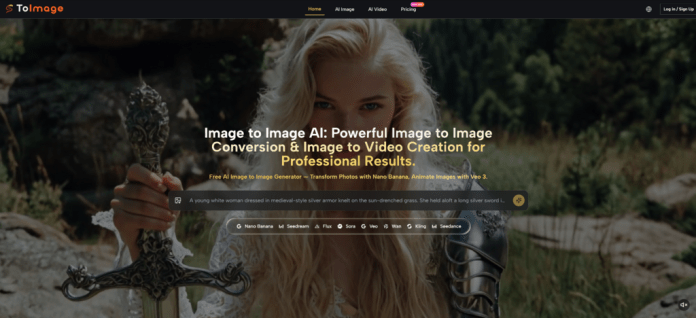
The AI image generation market in 2026 runs on spectacle. Demos show single images so crisp you can almost smell the render time. But talk privately to designers, art directors, and content producers who generate dozens of images a week, and the conversation shifts to a less glamorous territory: browser tabs that crash and swallow approved variants, prompt fields that empty themselves during a model switch, and generation histories that evaporate when a session ends. These are not the things that make for compelling product launch videos. They are, however, the exact things that make someone quietly abandon a platform after the trial period ends. This quiet churn—driven not by image quality but by operational frustration—is why Image to Image functionality built around workflow continuity rather than one-shot wizardry deserves its own category of evaluation. The platform I tested this week does not market itself as infrastructure. But after multiple sessions simulating real production days, the infrastructure-like reliability is what defined the experience most.
The Operational Gaps Most Image Platform Comparisons Overlook
When people compare image tools, the default frame is image quality. Speed and photorealism. This frame is useful but incomplete. A freelancer balancing five client projects, a small marketing team spinning product visuals for three channels, or a content creator generating weekly thumbnail batches all face a different hierarchy of needs. Can they find Tuesday’s approved version when they sit down on Thursday. Can they switch between a high-fidelity product engine and a rapid ideation engine without re-typing every parameter. Can they anchor an output to multiple reference images so the generated asset still feels like the brand. These questions live in a layer beneath image quality. They are about whether the tool respects the rhythms of iterative, multi-project work.
Cross-Session Loss and the High Cost of Regeneration
What Happens When Your Browser Cache Becomes Your Only Archive
In previous tools I have used, closing a browser tab at the end of a long generation session felt like rolling dice. Some tools held the recent images. Others did not, especially when used without logging in or when the cache size exceeded a hidden limit. The cost is not just the few seconds of redownloading. It is the cognitive re-scanning. You stare at a fresh canvas trying to remember which of seventeen variants had the lighting angle the client circled in a Slack message two days ago. If you cannot find it, you regenerate, and the new result is close but not quite identical. The client notices. The project drifts. A single lost session can cascade into a half-hour of frictional recovery.
How Persistent History Changes the Recovery Equation
On this platform, I deliberately stress-tested this. After generating roughly thirty variants across two different models, I closed the browser entirely. I waited several hours. When I reopened the page, the history was still populated. I scrolled back to the images from that morning, located the specific variant where the product shadow fell correctly on the marble counter, and downloaded it. The image matched. No regeneration required. This is not a glamorous feature, but for anyone whose workday involves picking up a project after a meeting, a lunch break, or a different client emergency, it removes a category of operational anxiety that has become normalized elsewhere.
Testing Three Everyday Friction Points That Accumulate
Test One: Closing the Tab Mid-Project and Returning the Next Day
The Experience of Picking Up Where You Left Off
The simulation was simple. On a Tuesday, I uploaded a portrait reference and began generating environment variations—studio lighting, natural window light, darker editorial tones. Midway through the session, I closed the browser. On Wednesday morning, I opened the platform again. The entire generation history from Tuesday remained accessible. I could visually scan the thumbnails, compare the lighting across variants, and continue the session without re-establishing context. The time between “I am ready to work” and “I am working” was noticeably shorter than what I have grown accustomed to on other web-based image tools.
Test Two: Switching Models Without Losing the Instruction
The Productivity Impact Across Ten Consecutive Switches
This test measured what happens when curiosity drives you to try the same prompt on different engines. I wrote a detailed prompt describing a sneaker composition—viewing angle, material highlights, background mood—and ran it first on Nano Banana. Then I switched to Seedream, then to Grok. On many platforms I have used, switching the model clears the prompt field, either partially or entirely. Here, the prompt remained intact across all three selections. When I later ran the same instruction through ten consecutive model switches for a stress test, I never retyped a single word. If each re-typing takes thirty seconds and you switch models ten times a day, that is five minutes of friction eliminated daily. Across a month, Toimage AI reclaims time that most creators silently lose to interface design decisions they never explicitly notice.
Test Three: Anchoring Output Consistency With Multiple Reference Images
When Four Source Images Steer the Result Better Than One
Image-to-image tools generally accept one reference. This platform allowed uploading up to four reference images when using Nano Banana. I tested this with a product shot of a ceramic mug, accompanied by a lighting reference, a texture reference, and a composition reference. The generated output preserved the mug’s shape and color while applying the lighting direction from the second reference, the surface feel from the third, and the negative-space layout from the fourth. The result was not a mashup. It was a coherent image that felt guided rather than randomly mutated. For brand work where a single approved product photo must spawn variations that still feel like the same campaign, this multi-reference anchoring reduced the number of failed generations significantly. Vague prompts without references still produced usable images, but the hit rate for on-brief results rose noticeably when the references were specific.
How the Platform’s Daily Workflow Unfolds in Practice
The interface follows a straightforward progression that mirrors how image transformation work actually happens. There is no onboarding wizard, and the learning curve sits in understanding each model’s strengths rather than in navigating the tool itself.
Step 1: Place Your Source Image on the Canvas
What the Upload Interaction Feels Like
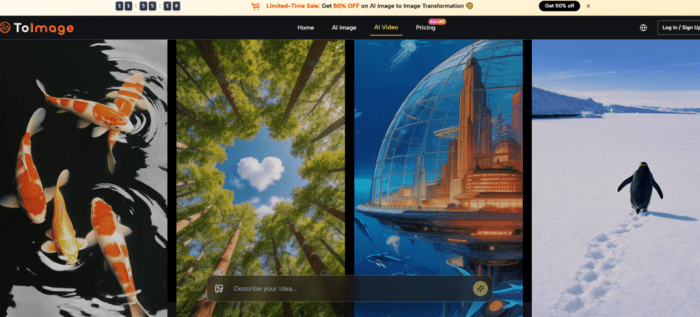
You encounter a drag-and-drop zone or a click-to-upload option. There are no mandatory metadata fields, no categorization steps. The image appears as a preview, and the platform is immediately ready for the next instruction. In my sessions, uploads processed quickly, and common formats were accepted without issues.
How Source Quality Shapes the Transformation from the Start
Clear, well-lit source images with distinct subject-background separation produced outputs that preserved more detail through the transformation process. Grainy or heavily compressed uploads sometimes introduced visual artifacts that carried forward. This is a general principle of image-to-image AI, and seeing it confirmed here reinforced that the upload step is where the quality floor is set.
Step 2: Write the Transformation Instruction
Separating What Stays From What Changes
The prompt field sits alongside the uploaded image. The most reliable prompts in my testing were those that clearly delineated preservation from modification. A pattern like “keep the mug shape and glaze texture, change the background to a sunlit kitchen windowsill” consistently outperformed vague descriptive passages. The platform does not require engineering-level prompt syntax, but clarity about what to preserve improved the consistency of the outputs.
The Relationship Between Prompt Precision and Output Stability
When I tested prompts that specified lighting direction, material type, and color palette, the results stayed closer to the brief across multiple regeneration attempts. Broader instructions like “make it look better” produced varied results that sometimes required more selection effort downstream.
Step 3: Select a Model That Matches the Creative Task
Reading the Model Selector as a Creative Brief
After uploading and writing the prompt, the model selector presents options including Nano Banana, Seedream, Grok, and others. Each model brings a different strength. Nano Banana handled detailed, reference-anchored transformations with high fidelity. Seedream prioritized speed and was useful for rapid iteration rounds where I needed to see many directions quickly. Grok leaned toward more experimental outputs. The key usability detail is that the prompt stays visible and editable regardless of which model is selected, which invites comparison.
Step 4: Generate and Compare Across Engines
Using Side-by-Side View to Reduce Decision Time
The platform supports generating the same prompt across multiple models and viewing the results simultaneously. This turned out to be more valuable than a simple speed metric. Instead of guessing which engine would handle a particular image transformation best, I ran the same instruction through two or three models and selected the most on-brief result from the comparison view. For users still developing an intuition about which model fits which task, this feature functions as a learning accelerant.
A Quick Comparison of Workflow Reliability Across Familiar Options
| Workflow Dimension | ToImage AI | Midjourney | Leonardo AI | Adobe Firefly |
| Prompt persistence on model switch | Retained across all models | Not applicable (single model) | Partially retained | Not applicable |
| Cross-session image history | Accessible without login barriers | Limited to recent session window | Account-gated, variable | Requires Creative Cloud sign-in |
| Multi-reference image support | Up to 4 references on supported models | Style reference, not multiple | Some reference features | Single reference |
| Interface complexity for new users | Moderate; model selection takes practice | Steep; Discord-origin learning curve | Moderate; feature-rich interface | Low; integrated into familiar apps |
| Workflow continuity feel | Built for return visits and iteration | Session-oriented | Project-oriented within account | Ecosystem-dependent |
Where the Friction Still Exists
The platform reduces several operational pain points, but it does not eliminate all friction. The model selector, while empowering for experienced users, can feel opaque to someone uploading their first image. There is no in-interface guidance that recommends a model based on the uploaded content or prompt type, which means the initial learning phase involves trial and error. Users who only need a single, one-click transformation may find the depth unnecessary.
The image history, though persistent, remains a chronological scroll. It is not a project-organized library. If you generate two hundred images across eight different client briefs in a week, locating a specific variant from last Tuesday still requires visual scanning rather than keyword searching. The platform does not replace a dedicated asset management workflow, and treating it as one would create organizational debt over time.
Output consistency varies with prompt quality and source image clarity. Complex scenes with multiple interacting elements sometimes required regeneration attempts before reaching an on-brief result. This is consistent with how probabilistic image models behave generally, but users accustomed to deterministic editing tools should calibrate expectations accordingly.

Who Gains the Most From Workflow Friction Reduction
The profile that benefits most from this platform is the creator whose output volume is high enough that small frictions compound, but whose team size is small enough that no one else is handling file management or prompt documentation. Solo designers and freelancers managing multiple client queues, small marketing teams that need a single product photo to become assets for web, email, and social, and content creators producing at weekly cadences will feel the difference between a tool that treats their session as disposable and one that treats it as a continuing project.
The platform does not win on any single spec sheet number. It wins in the cumulative experience of closing a tab without anxiety, switching an engine without re-typing, and finding a Tuesday asset on a Thursday without a forensic file hunt. In a market saturated with tools that chase the best single-image output, paying attention to what happens between images—the minutes, the rework, the retrieval—starts to look less like nitpicking and more like the actual shape of professional creative work.