

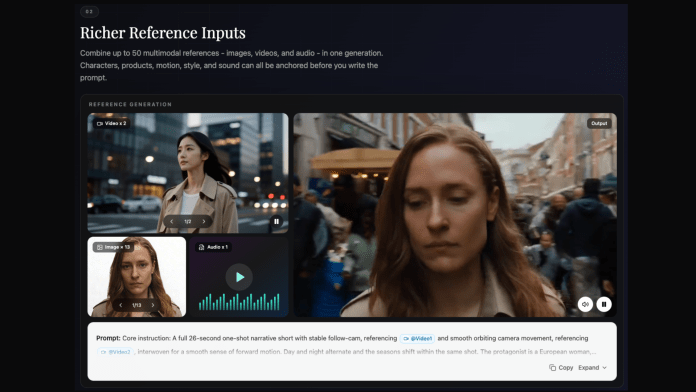
Whenever a new AI video model is announced, most of the discussion revolves around feature lists, benchmark comparisons, and impressive demo videos. Those conversations are exciting, but as someone who enjoys creating drama-inspired edits, short stories, and fan-made videos, I’ve realized that the most valuable work actually happens before a model becomes publicly available.
At the time of writing, Seedance 2.5 has not been officially released to the public. Rather than waiting for launch day and starting from scratch, I’m using this time to organize my creative workflow, refine my prompts, and prepare projects that I want to test once it’s available.
If the model delivers what many creators are hoping for, I’d rather spend my first day experimenting with ideas that are already well prepared than trying to think of prompts on the spot.
One of the biggest lessons I’ve learned is that better AI videos usually begin with better preparation.
If you’re also following the upcoming release of Seedance 2.5, this waiting period is a great opportunity to build a stronger creative foundation.
Character Consistency Starts Before You Write a Prompt
One challenge that almost every AI video creator encounters is character consistency.
A character might have long black hair in one shot, shorter brown hair in the next, and a completely different facial structure a few scenes later. Clothing, accessories, expressions, and even the overall visual style can unexpectedly change.
For cinematic projects, these differences are distracting.
For fan edits or short drama stories, they can completely break the illusion of following the same character.
That’s why I no longer start with prompts.
I start with a character sheet.
Before writing a single scene, I prepare a simple document that includes:
- Character name
- Approximate age
- Hairstyle and hair color
- Face shape
- Eye color
- Clothing style
- Accessories
- Personality traits
- Default facial expression
- Emotional range
None of this depends on having access to Seedance 2.5 today.
Instead, it’s preparation that will make prompt writing much easier once the model is officially available.
Separate the Character From the Scene
Another habit that has completely changed my workflow is separating prompts into independent building blocks.
Instead of writing one long paragraph that tries to describe everything, I divide each prompt into reusable sections.
Character Prompt
This section contains only the details that should remain consistent throughout the project.
Scene Prompt
The environment changes, not the character.
Examples include:
- Empty train station
- School hallway
- Rooftop at sunset
- Rainy city street
- Concert stage
- Quiet café
- Night market
Camera Prompt
Rather than writing “cinematic,” I describe the actual camera language.
For example:
- Wide establishing shot
- Medium tracking shot
- Slow push-in
- Close-up
- Over-the-shoulder shot
- Low-angle shot
- Slow handheld movement
Action Prompt
This section only explains what the character is doing.
Walking.
Looking back.
Opening a door.
Standing quietly.
Running.
Smiling.
Sitting beside a window.
Because every section is independent, I can change the location or action without rewriting the entire prompt.
That flexibility will become especially useful when experimenting with different prompt variations after Seedance 2.5 is released.
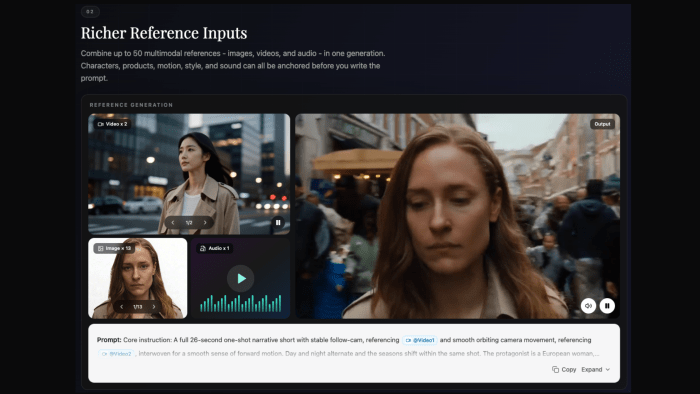
Prepare Storyboards Instead of Long Prompts
I’ve also stopped thinking about prompts as isolated paragraphs.
Instead, I think about scenes.
For creators who enjoy drama-inspired videos, preparing a storyboard before writing prompts makes the entire creative process much easier.
Rather than trying to generate a complete one-minute sequence immediately, I prefer planning a short story made up of several connected shots.
For example:
Scene One
Introduce the main character and establish the environment.
Scene Two
Show an emotional conflict or an important interaction.
Scene Three
Reveal a turning point in the story.
Scene Four
End with a memorable visual that leaves room for interpretation.
This approach feels much closer to filmmaking than prompt writing.
Every scene has its own prompt while sharing the same character sheet and visual style.
When Seedance 2.5 eventually becomes publicly available, I’ll already have several storyboards ready for testing instead of beginning with a blank page.
Fan Edits Begin With Observation, Not Generation
One of my favorite ways to learn visual storytelling is by studying memorable scenes from dramas, films, and concerts.
Not to recreate them directly.
But to understand why they work.
When watching a scene, I often pause and ask myself questions like:
- Why does this camera angle feel emotional?
- Why does this lighting create tension?
- Why does this transition feel natural?
- Why does this moment stay memorable?
Instead of collecting random screenshots, I organize references based on creative purpose.
For example:
- Character expressions
- Camera movement
- Lighting style
- Color palette
- Background composition
- Emotional pacing
These references eventually become visual inspiration for original projects rather than copies of existing scenes.
For creators making fan-inspired content, I think this process is much more valuable than simply trying to reproduce a favorite moment frame by frame.
Think About Music Before Video Generation
Music videos often require a different approach from short dramas.
Instead of focusing only on visuals, I also think about timing and rhythm long before writing the final prompt.
Rather than describing an entire sequence in one paragraph, I break it into smaller moments that can later become individual shots.
For example:
0–3 seconds
Introduce the character with a calm establishing shot.
3–6 seconds
Move the camera closer while the character reacts to the music.
6–10 seconds
Switch to a close-up that captures emotion instead of action.
10–15 seconds
Transition naturally into the next scene following the beat.
Even though I can’t test these ideas with Seedance 2.5 yet, preparing this structure now means I can focus on evaluating the model’s output later instead of building an entire concept from scratch.
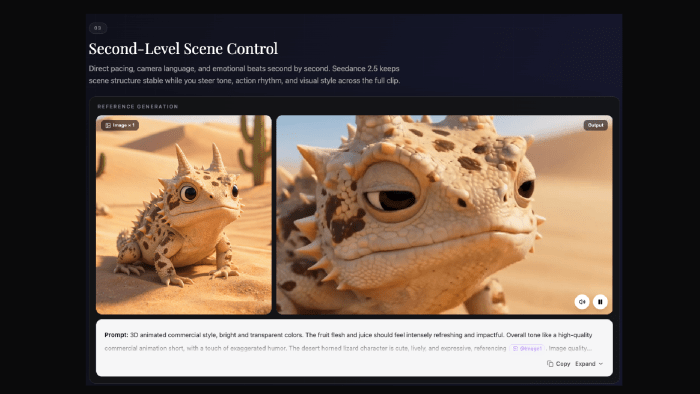
Build Your Own Prompt Library While Waiting
One habit that has made the biggest difference in my workflow is keeping a personal prompt library.
Every time I find a better way to describe a camera movement, lighting style, facial expression, or scene transition, I save it.
Instead of storing complete prompts, I collect reusable creative building blocks.
Over time, these notes have gradually become my own Seedance 2.5 prompt guide.
It isn’t meant to predict how the model will work after release.
Instead, it’s a collection of creative language that I plan to experiment with once Seedance 2.5 becomes publicly available.
My library currently includes sections such as:
- Character descriptions
- Camera vocabulary
- Lighting references
- Emotional expressions
- Action verbs
- Scene transitions
- Story structures
- Negative prompts
- Visual style notes
Because everything is organized, preparing a new project becomes much faster, regardless of which AI video model I eventually decide to test.
Use the Waiting Period to Build Better Projects
It’s easy to think that nothing can be done before a model launches.
I actually think the opposite is true.
The weeks before release are often the best time to prepare.
Instead of constantly refreshing announcement pages or waiting for demo videos, I’ve been organizing creative assets that will still be useful after launch.
That includes:
- Character sheets
- Story outlines
- Reference images
- Camera ideas
- Prompt templates
- Shot lists
- Scene timing
- Mood boards
None of these depend on having access to the model today.
But all of them can improve the quality of future testing.
When the public release eventually arrives, I’d rather spend my time exploring the model’s creative possibilities than searching for inspiration.
Prepare One Small Test Project
Rather than planning ten unrelated ideas, I’m preparing one small project that can be reused for testing.
The concept is intentionally simple.
One recurring character.
One visual style.
Four connected scenes.
Several versions of the same prompts.
Using the same project makes it easier to compare different prompt structures and observe how small wording changes affect consistency, motion, composition, and storytelling.
More importantly, it provides a realistic creative workflow instead of isolated prompt experiments.
Since Seedance 2.5 has not yet been officially released, I don’t know exactly how it will interpret these prompts.
That’s perfectly fine.
The goal isn’t to guess the model’s behavior.
The goal is to have meaningful creative material ready when testing finally becomes possible.
Creativity Begins Before Generation
People often say AI video generation starts with a prompt.
I don’t completely agree.
For me, it starts much earlier.
It starts with collecting references.
Studying films and dramas.
Understanding camera language.
Planning emotional pacing.
Building believable characters.
Writing stories that can be divided into individual scenes.
A prompt is simply the final step that connects all of those ideas.
Whether I’m preparing a fan edit inspired by a favorite drama, a music video built around visual rhythm, or an original short story, the preparation is always more important than rushing into generation.
Final Thoughts
At the moment, Seedance 2.5 is still an upcoming release rather than a publicly available tool.
That makes this waiting period surprisingly valuable.
Instead of treating it as downtime, creators can use it to strengthen every part of their workflow.
Build consistent character sheets.
Organize visual references.
Study memorable scenes.
Prepare storyboards.
Write modular prompts.
Collect camera language.
Develop reusable creative libraries.
None of these tasks require immediate access to the model, yet every one of them can make future experiments more productive.
When Seedance 2.5 is officially released, I don’t want my first challenge to be figuring out what to create.
I want to begin with characters that already feel believable, stories that are already planned, and prompts that have been carefully prepared.
Technology will continue to improve, but thoughtful preparation has always been one of the most valuable creative tools a creator can have.